Smart 3L Pet Feeder w/ Camera & App: Setup, Tips, FAQ
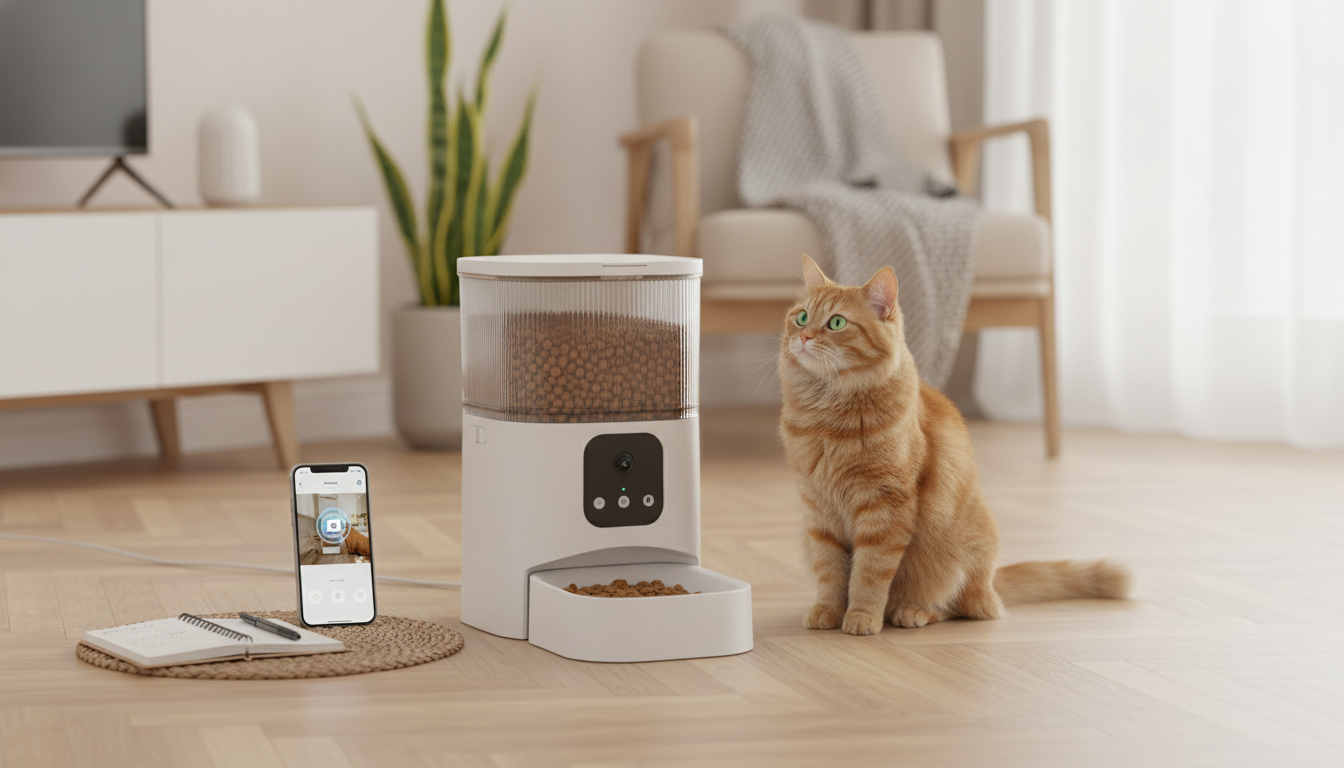
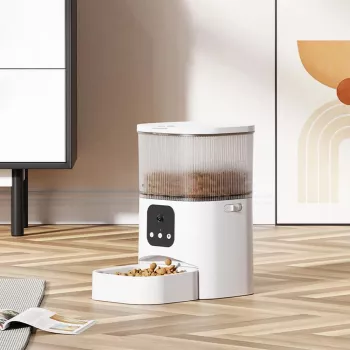
Smart 3L Automatic Pet Feeder with Camera & App Control for Dogs and Cats
A connected feeder can keep meals consistent when schedules change, while built-in video and app controls make it easier to check in, adjust portions, and support a steady routine for both dogs and cats. This guide covers what to look for, how daily use typically works, and practical tips for setup, safety, and upkeep. For more guidance, see Best Automatic Dog Feeders – Consumer Reports.
What a camera-and-app feeder helps with day to day
- Maintains consistent meal timing to support routine and reduce begging around mealtimes.
- Enables remote monitoring with a live view to confirm your pet is eating and behaving normally.
- Supports portion management to help avoid overfeeding, especially in multi-person households.
- Reduces missed meals for late workdays, travel days, or unexpected schedule changes.
- Helps with gradual transitions (new diet, new home, new schedule) by keeping timing predictable.
For many households, the biggest win is predictability: meals happen on time even when the day doesn’t. That steadier rhythm can also make it easier to notice changes—like a pet that approaches the bowl but doesn’t eat, or a cat that seems less interested than usual—so you can follow up sooner.
Highlights of the Smart 3L Automatic Pet Feeder with Camera & App Control
The Smart 3L Automatic Pet Feeder with Camera & App Control for Dogs and Cats is designed for practical daily feeding: measured portions, scheduled meals, plus a camera view for quick check-ins. A 3L hopper is typically enough to cover short stretches without refilling, depending on kibble size and how many meals are scheduled.
- 3L food capacity suited for short stretches of unattended feeding, depending on portion size and frequency.
- Camera view for quick check-ins during feeding windows and throughout the day.
- App control for scheduling, portion adjustments, and on-demand feeding when appropriate.
- Useful for both dogs and cats, including households that need more predictable routines.
- Check the product page for current pricing, availability, and detailed specifications.
| Detail | What it means at home |
|---|---|
| Capacity: 3L | Fewer refills for many pets; actual duration depends on kibble size and daily portions. |
| Camera | Visual confirmation that food dispensed and your pet approached the bowl. |
| App control | Change schedules or trigger a feed remotely when needed. |
| Automatic scheduling | More consistent timing than manual feeding on busy days. |
| For dogs and cats | Works for many kibble-based diets; check kibble size compatibility. |
If you’re building a more hands-off routine, it can also help to pair feeding automation with everyday convenience items around the house. For example, a compact desk setup can make it easier to monitor your pet’s schedule while you work; the Wireless Hot-Swappable TKL 87-Key Mechanical Gaming Keyboard RGB Backlit is a space-saving option for home offices. And if you’re frequently running out the door for early walks or errands, the Women’s Genuine Leather Slip-on Flats Summer Mules offer an easy slip-on style for quick departures.
Choosing the right feeder setup for your pet
- Portion needs: Confirm daily calories with a veterinarian and use the feeder to divide that total into measured meals. AVMA nutrition guidance is a helpful starting point: American Veterinary Medical Association (AVMA) — Pet nutrition resources.
- Kibble size and shape: Larger, airy, or irregular kibble can affect dispensing. Test with a small batch before relying on a schedule.
- Single-pet vs. multi-pet: If one pet steals food, consider separate feeding areas (or separate feeders) to prevent portion “sharing” and reduce food guarding.
- Camera placement: Aim for a clear view of the bowl and a bit of the surrounding area so it’s easier to confirm which pet is eating.
- Connectivity: Stable Wi‑Fi near the feeder location improves app responsiveness and camera reliability.
How to set it up for reliable, low-stress feeding
Smart scheduling: examples that fit common routines
| Scenario | Timing example | Portion approach |
|---|---|---|
| Cat (grazing style) | 7am / 11am / 3pm / 7pm | Divide total daily portion into 4 smaller meals |
| Dog (two meals) | 7am / 6pm | Split daily portion into two measured meals |
| Early workdays | 6am / 4pm / 8pm | Three smaller meals to reduce long gaps |
| Gentle transition | Normal times | Increase/decrease portion gradually over 5–10 days as directed |
Cleaning, food freshness, and safety checks
- Wash removable bowl and food-contact parts on a regular cadence to reduce oils and residue buildup.
- Store kibble sealed and in a cool, dry place; avoid topping off old food without checking for staleness. The FDA’s storage tips are a solid reference: U.S. Food & Drug Administration (FDA) — Tips for storing pet food safely.
- Inspect the dispensing path periodically for crumb buildup that can affect portion consistency.
- If the feeder has desiccant or freshness features, follow manufacturer guidance for replacement intervals.
- Review logs or camera check-ins occasionally to catch changes in eating behavior early.
When an automatic feeder is not the right choice
FAQ
Will an automatic feeder help stop overeating?
It can help by dispensing measured portions on a schedule, which reduces “extra scoops” and inconsistent serving sizes. Total daily calories still need to be set correctly for your pet’s goals, and a veterinarian can help confirm targets—especially for weight loss or weight gain plans.
Is a camera feeder useful if someone is home most days?
Yes—camera check-ins can confirm the right pet is eating, catch skipped meals early, and help you adjust timing or portions without hovering near the bowl. It’s also useful in multi-person households where feeding responsibilities rotate.
How often should the feeder and bowl be cleaned?
Clean the bowl frequently (often weekly, or sooner if it gets oily), and wipe food-contact parts as directed by the manufacturer. Check the hopper and dispensing path periodically for crumbs, and make sure everything is fully dry before refilling to help keep kibble fresh.







Leave a comment